
Internal Linking Strategy for Small Business Websites — A Practical Guide
Internal links pass authority between pages and help Google understand your site structure. Here's how to build an internal linking strategy that works.
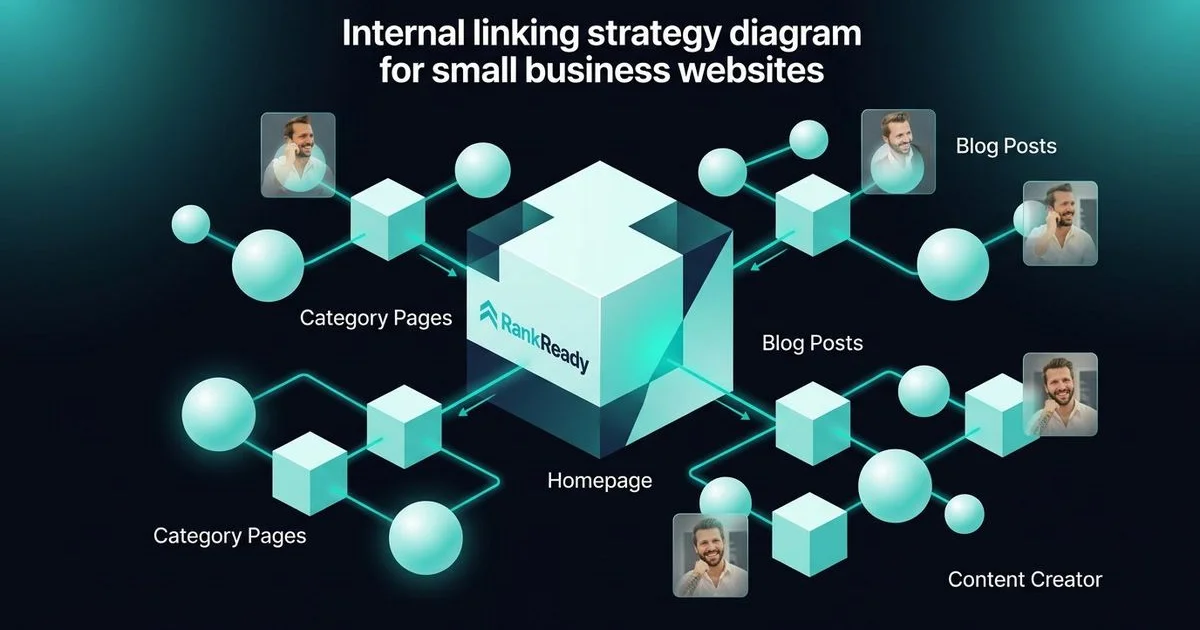
Internal linking is often the most undervalued asset in a local business strategy. You control it completely. It costs zero dollars. Yet, most small business sites in Sydney effectively hide their best content because they rely solely on the main navigation menu to do the heavy lifting.
If your traffic has plateaued or specific service pages refuse to rank, the issue likely isn’t just what you are saying. It is how you are connecting it.
What Are Internal Links and Why Do They Matter?
An internal link is simply a hyperlink that points from one page on your domain to another. Your header and footer menus are technically internal links. However, the links that actually move the needle for SEO are the contextual ones located inside your paragraphs and body text.
We have seen proper linking structures change the trajectory of a campaign entirely.
Here is why they are non-negotiable for a business website:
1. They Distribute Authority (Link Equity)
Imagine your homepage as a bucket filling up with water (authority) from external backlinks and age. Without pipes (internal links) connecting to your other buckets, that water just sits there.
When you link from a high-authority page to a service page, you pass that “link equity” along. This signals to search engines that the destination page is valuable enough to be endorsed by your own top content.
2. They Define Your Site Structure for Google
Google uses automated bots, often called spiders, to crawl the web. These bots follow links like paths on a map. If a page isn’t linked to, the bot can’t find it.
Connecting a blog post about “bathroom renovation costs” to your “Bathroom Renovation Services” page tells Google exactly how those topics relate. It turns isolated pages into a categorised library of expertise.
3. They Improve User Engagement Metrics
Getting a visitor to your site is expensive. Keeping them there should be the priority.
A user reading a guide on “how to choose a web designer” is a prime candidate for your service page. Contextual links reduce bounce rates (the percentage of people who leave after one page) and increase the average time on site. According to data from Databox, a solid internal linking structure can help reduce bounce rates significantly, sometimes by over 10%, which signals quality to search engines.

| Feature | Internal Links | External (Outbound) Links |
|---|---|---|
| Destination | Another page on your website | A different domain entirely |
| Control | 100% within your control | Dependent on other site owners |
| Primary Goal | Site structure & authority flow | Citing sources & building trust |
| Risk Level | Very low | Low (if linking to quality sites) |
The Internal Linking Strategy That Works
You do not need complex software to build a structure that outperforms your competitors. A logical framework beats a messy automated tool every time.
We use a “Hub and Spoke” model for most of our Sydney clients.
Link Every Blog Post to Its Parent Service Page
This is the golden rule of local SEO. If you write an article, it must support a commercial goal.
Writing about “five signs you need a new roof”? You must link to your roofing services page within the first few paragraphs. Discussing “how to prepare for a tax audit”? That needs a direct line to your tax services page.
These links tell Google that your blog content exists to support your commercial authority.
Link Service Pages Down to Supporting Blog Posts
The relationship needs to go both ways. Your main service pages should act as a “Hub” that directs users to specific answers.
For instance, your “Web Design Services” page is likely broad. It should link out to detailed articles about website costs, current design trends, or platform comparisons. This keeps your main page clean while offering depth to those who want it.
Link Related Blog Posts to Each Other
Cluster your content by topic. If a reader is interested in one aspect of a subject, they are likely interested in the next logical step.
If your post about content strategy mentions pillar pages, you should link to your explanation of what pillar pages are and how they work. Likewise, if you mention local visibility, connect them to your GBP setup guide.
Use Your Homepage Wisely
Your homepage usually holds the most authority of any page on your site. Don’t waste it.
We recommend placing contextual links in the body text of your homepage sections, not just in the buttons or image cards. Text links often carry more semantic weight for search engines than image links. Point these directly to your highest-value service pages.
The Anchor Text Rules
Anchor text is the visible, clickable words in a hyperlink. Google inspects these words to understand what the destination page is about.
Use Descriptive Anchor Text
Avoid generic phrases. “Click here” tells Google nothing about the page you are linking to.
Bad: “Click here to see our services.” Good: “Check out our bathroom renovation services.”
Vary Your Anchor Text
Repeating the exact same keyword phrase 50 times can look suspicious, like you are trying to game the system. It is called “over-optimisation.”
Mix your phrasing naturally. For a web design page, we might use:
- “web design services”
- “our website packages”
- “professional website design”
- “building a business site”
Keep It Natural
Forcing a link where it doesn’t fit ruins the user experience. If you have to write a weird sentence just to include a keyword, delete it. The link should offer value, not friction.
How Many Internal Links Should You Have?
There is no magic number that guarantees a ranking boost. However, jamming 50 links into a short post will distract the reader and dilute the value of each link.
We stick to these general parameters for clarity and utility:
- Standard Blog Posts (800-1,500 words): Aim for 3 to 7 internal links.
- Pillar Pages (1,500-3,000 words): Use 8 to 15 internal links to cover the sub-topics.
- Service Pages: Include 3 to 5 internal links to supporting articles.
Relevance is the only metric that truly counts. If a link helps the user solve their problem, include it. If it doesn’t, leave it out.
Common Internal Linking Mistakes
Orphan Pages
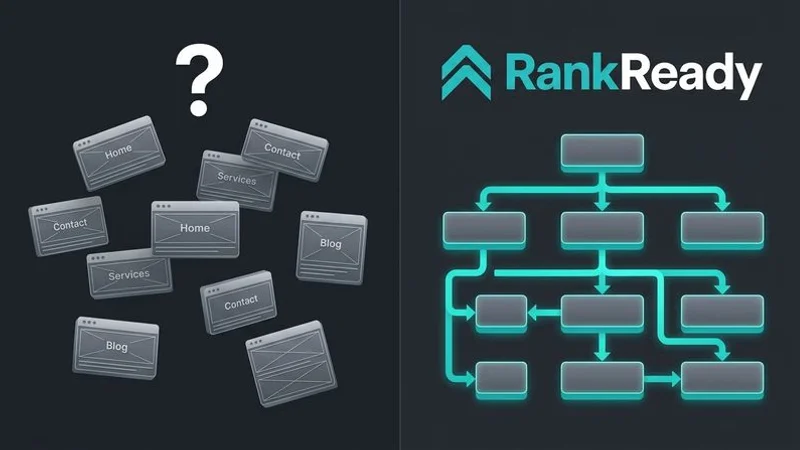
An orphan page is a piece of content that exists on your server but has zero internal links pointing to it. It is effectively invisible.
Google has stated that if a page isn’t linked, they might not index it at all. Tools like Screaming Frog (which has a free version for up to 500 URLs) can scan your site to find these disconnected pages.
Too Many Links to the Homepage
New site owners often link back to the “Home” page constantly. This is unnecessary.
Your logo and main navigation already link to the homepage on every single view. Focus your in-content links on deep pages that need the extra support, like specific services or case studies.
Ignoring Old Content
This is the most common missed opportunity. When you publish a new guide today, your older posts don’t know it exists.
You must go back to your archive. Find high-performing older posts and add links pointing to your fresh content. This gives your new post an immediate authority boost.
Footer and Sidebar Link Overload
Google divides a page into sections. Links in the main content area (the body) are generally valued higher than links in the footer or sidebar.
Stuffing your footer with 50 keyword-rich links is an outdated tactic from 2010. It looks spammy and offers little SEO value. Keep your footer for utility links like contact info, policy pages, and core categories.
A Simple Internal Linking Workflow
Consistency beats intensity. You don’t need to dedicate days to this; you just need a process.
Here is the checklist our team uses for every new piece of content:
- Pre-Writing Phase: Decide exactly which service page this new article will support.
- Drafting Phase: Include at least one link to that service page and 2-3 links to related blog posts.
- Post-Publication: Immediately go to the parent service page and link down to the new article.
- The “Reach Back”: Search your site for relevant older articles (use the command
site:yourdomain.com keywordin Google) and add links to the new post. - Monthly Audit: Check Google Search Console’s “Links” report to see which pages have the fewest internal links.
This adds perhaps 15 minutes to your publishing routine. The return on investment in ranking stability is massive.
Internal Linking and Content Silos
Internal linking is the engine that powers content silo architecture.
A silo is essentially a container of relevance. Without links, you just have a pile of loose pages. With links, you create a tight network that proves you are an expert on a specific topic.
Successful sites combine three elements:
- Comprehensive pillar pages.
- Regular supporting blog content.
- A strict linking web that connects them.
When these work in unison, your site becomes a resource that is difficult for competitors to displace.
The Bottom Line
Internal linking is not the exciting part of SEO. You won’t see LinkedIn posts bragging about link architecture. But it is the foundation that allows the rest of your strategy to perform.
Every page needs a partner. Every blog post should elevate a service. Every new article must integrate into the existing web of content.
It is free, effective, and entirely within your power.
Do you want a site where this architecture is engineered from the start? Our authority website package comes with strategic internal linking, pillar page planning, and content silos built-in—so you launch with a competitive advantage.
Need a Rank-Ready Website?
Get an SEO-optimised website for your Sydney business — live in days, from $1,497.
Get Started